One of the great capabilities of SharePoint 2013 is the Search REST API. Unfortunately it’s disabled for anonymous users by default. Find out how to enable SharePoint 2013 Search REST API for anonymous users.
Built for tomorrow available today
One of the biggest investments in SharePoint 2013 is Search. Built using the best pieces of the enterprise-class search engine, also known as FAST, and SharePoint Search, the new search engine available with SharePoint 2013 is so much more than just a search engine.
Instead of patiently waiting for you to type a query, SharePoint 2013 Search publishes information from different sources and builds up rich experiences proactively delivering you the most relevant content – for you.
Search-driven publishing is just one of the new scenarios enabled by the improved search capabilities provided with SharePoint 2013. Moving away from static content aggregations, and maintenance-intensive websites, with the new search-driven publishing model you can now have SharePoint track all the different content usage patterns and suggest relevant content automatically increasing the conversion rate without too much effort.
Mobile makes sense
The share of mobile devices on the web has been steadily increasing over the past few years. And if we were to believe the forecasts, even more mobile devices will be used to browse the web in the coming years.
Although building websites using responsive web design offers great results for optimizing websites for mobile devices, there are still scenarios where building a dedicated mobile app makes perfect sense. By leveraging the native capabilities of a mobile device you can better support the particular use-case and ensure for the best user experience possible. But in order to do that you first have to get your content to the mobile device. The SharePoint 2013 Search REST API seems to be a perfect candidate to do this.
It’s not for anonymous
SharePoint 2013 is a rich platform for building web-based solutions. SharePoint provides you with a number of turn-key components that just work, but also with a rich set of API that you can use to communicate with it. One of such APIs is the SharePoint 2013 Search REST API that we can use to interact with SharePoint’s search engine and retrieve data using it.
The SharePoint 2013 Search REST API is very flexible and powerful, yet it has one limitation: by default it’s not available to anonymous users. Luckily SharePoint allows us to enable this API for anonymous users by following a few simple steps.
Configuring SharePoint 2013 Search REST API for anonymous users
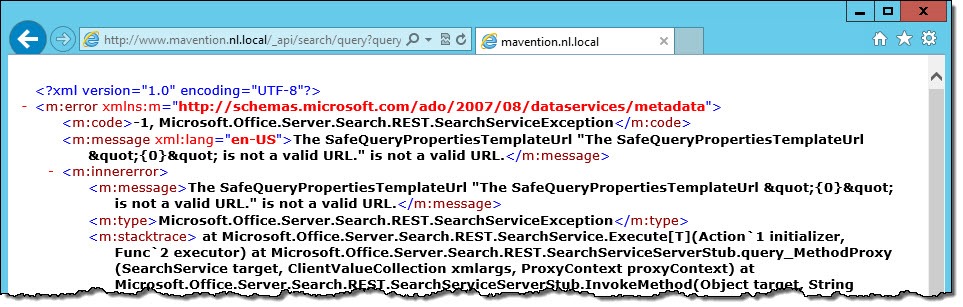
By default, if you try to call the SharePoint 2013 Search REST API as an anonymous user, you will get the following error:
The SafeQueryPropertiesTemplateUrl “The SafeQueryPropertiesTemplateUrl "{0}" is not a valid URL.” is not a valid URL.
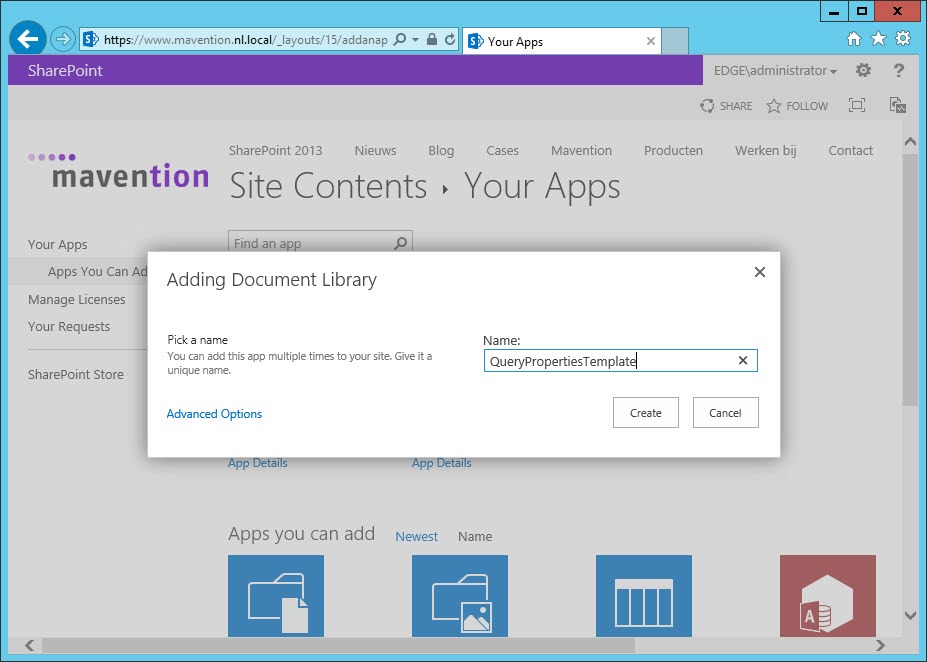
To enable the SharePoint 2013 Search REST API for anonymous users, first, in the Root Web of your Site Collection, create a Document Library called QueryPropertiesTemplate.
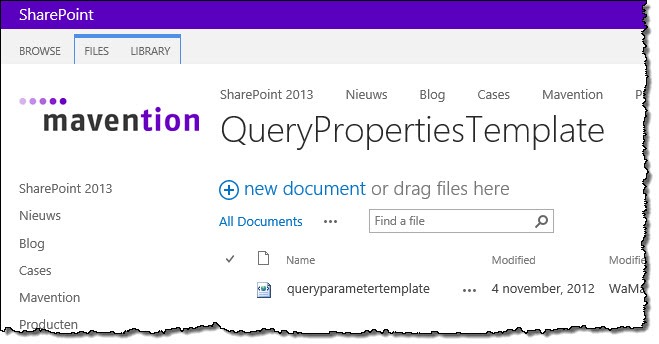
Next, create a new file called queryparametertemplate.xml.
Note: Since it’s rather challenging to come up with the contents of the queryparametertemplate.xml file all by yourself, you can use the sample file as a starting point.
The first thing that you need to set in the queryparametertemplate.xml file are the Farm (FarmId), Site Collection (SiteId) and Web ID (WebId). You can get those for example with PowerShell by using the following code snippet:
(Get-SPFarm).Id
(Get-SPSite http://www.mavention.nl.local).Id
(Get-SPWeb http://www.mavention.nl.local).Id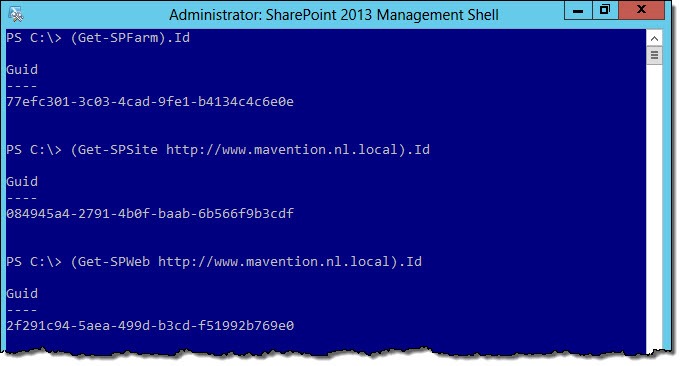
With those IDs set you are ready to configure which search capabilities should be available to anonymous users.
The contents of the queryparametertemplate.xml file are the serialized representation of the Microsoft.Office.Server.Search.Query.QueryProperties class. So if you want to get an overview of what properties can be set and what they are for, you can get this information from the SharePoint SDK.
The way the SharePoint 2013 Search REST API configuration for anonymous users works, is, that by default all capabilities are disabled and it’s up to you to decide which you want to enable for anonymous users. The white list of available capabilities is specified in the WhiteList element. The sample queryparametertemplate.xml file enables quite a few capabilities but it’s up to you to choose which capabilities you need for your scenario.
Once you’re finished with the configuration, save the queryparametertemplate.xml file, upload it to the QueryPropertiesTemplate Document Library and ensure that it’s available to anonymous users.
One more thing that you have to remember, that for the SharePoint 2013 Search REST API to work with anonymous users, you have to append the following query string parameter to every anonymous REST call:
&QueryTemplatePropertiesUrl='spfile://webroot/queryparametertemplate.xml'So a REST call such as:
http://www.mavention.nl.local/_api/search/query?querytext='SharePoint'Would become for anonymous users:
http://www.mavention.nl.local/_api/search/query?querytext='SharePoint'&QueryTemplatePropertiesUrl='spfile://webroot/queryparametertemplate.xml'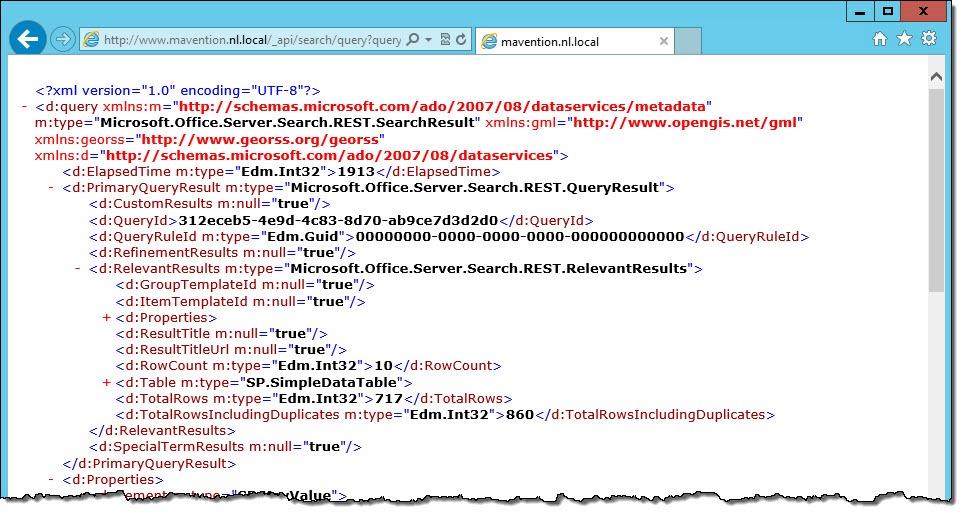
Summary
One of the new capabilities of SharePoint 2013 is the Search REST API that allows you to dynamically retrieve the data provided by SharePoint Search. Although it’s disabled for anonymous users by default, it can be easily enabled, making it possible for apps and other external systems to retrieve the data from SharePoint using the new search engine.