Rich Text Editor control in SharePoint 2010

, , , ,

Recently I was presenting for a group of colleagues at Imtech ICT Integrated Solutions about new publishing features in SharePoint 2010. One of the questions that I got was: how can we leverage the Rich Text Editor for anonymous users on Internet-facing websites?

The Scenario

Imagine the following scenario: on your Internet-facing website you want enable your anonymous visitors to post comments or short messages. You want them to be able to use some simple formatting for their messages, but as you don’t want them to use HTML markup, you want to use the Rich Text Editor control that ships with SharePoint.

The Challenge

In Office SharePoint Server 2007 the above requirement was pretty easy to fulfill. What you had to do was to use the following snippet in your control/Web Part:

InputFormTextBox rte = new InputFormTextBox()
{
    TextMode = TextBoxMode.MultiLine,
    RichText = true,
    RichTextMode = SPRichTextMode.Compatible,
    Rows = 10
};

Controls.Add(rte);

and SharePoint would display the Rich Text Editor control on the page:
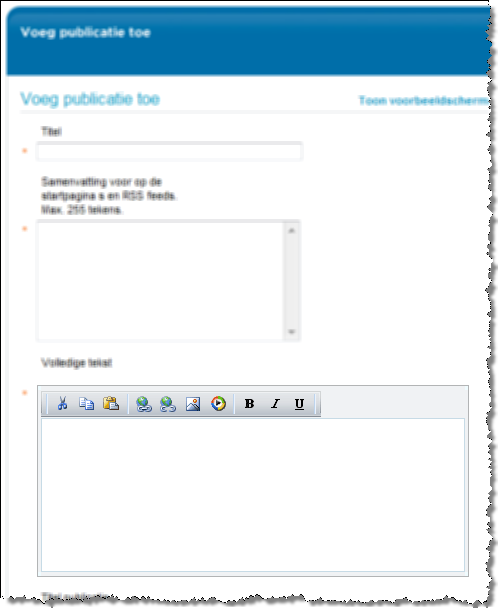
Telerik Editor in Office SharePoint Server 2007

The situation in SharePoint 2010 looks a bit different though. As you have probably noticed by now, SharePoint 2010 ships with a brand new User Interface including the Ribbon. As a result the Rich Text Editor doesn’t have its own toolbar anymore but uses the options displayed in the Ribbon.
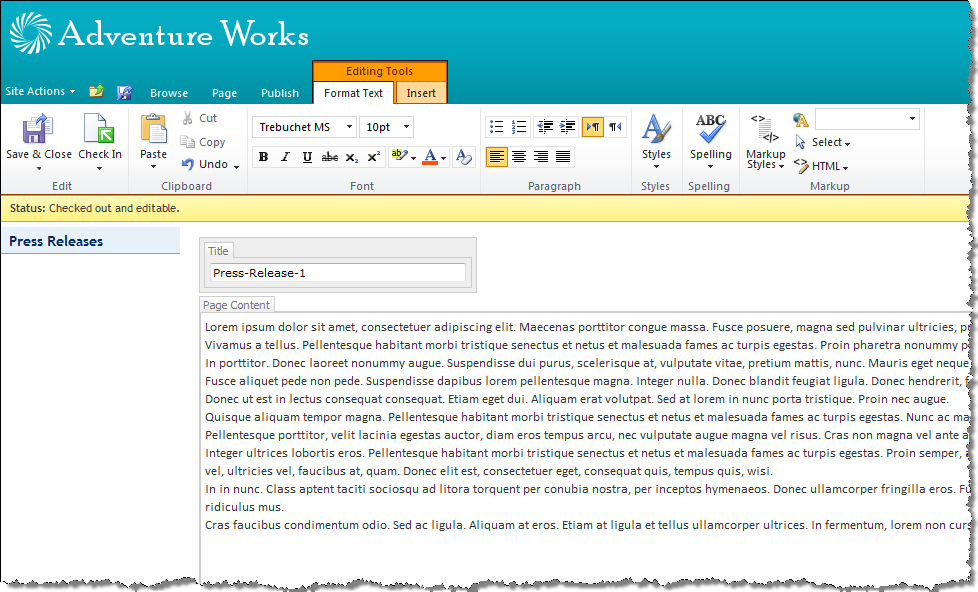
Rich Text Editor in SharePoint 2010: sometimes more is not necessarily what you want

While the new Rich Text Editor has been improved: no doubt about it, is it really something that you would like to use on your Internet-facing site for your anonymous visitors to use? Would you show them the Ribbon? I don’t think so.

The Solution

Although the challenge might seem complex, the solution is very easy – something that you would almost not expect.

What used to work with SharePoint 2007 works still in SharePoint 2010! You can still use exactly the same code snippet to show a Rich Text Editor control with its own toolbar instead the Ribbon:
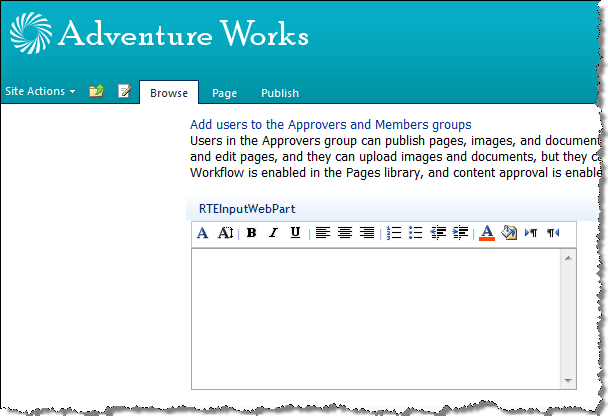
Custom Web Part with Rich Text Editor control with its own toolbar

Lessons learned? Sometimes it’s just worth trying out some known solutions instead of looking for a new one.


Possibly related posts

16 Responses to “Rich Text Editor control in SharePoint 2010”

  1. Tweets die vermelden Rich Text Editor control in SharePoint 2010 - Waldek Mastykarz -- Topsy.com Says:

    [...] Dit blogartikel was vermeld op Twitter door Planet SharePoint, Andy Fields. Andy Fields heeft gezegd: Moss: Rich Text Editor control in SharePoint 2010 http://bit.ly/aQDEyD Full http://bit.ly/cNx1XF [...]

  2. Tweets die vermelden Rich Text Editor control in SharePoint 2010 - Waldek Mastykarz -- Topsy.com Says:

    [...] Dit blogartikel was vermeld op Twitter door Planet SharePoint, Erik Neumann en Giuseppe Marchi, Andy Fields. Andy Fields heeft gezegd: Moss: Rich Text Editor control in SharePoint 2010 http://bit.ly/aQDEyD Full http://bit.ly/cNx1XF [...]

  3. Tweets die vermelden Rich Text Editor control in SharePoint 2010 - Waldek Mastykarz -- Topsy.com Says:

    [...] Dit blogartikel was vermeld op Twitter door Planet SharePoint, aseantic, Erik Neumann, Giuseppe Marchi, Andy Fields en anderen. Andy Fields heeft gezegd: Moss: Rich Text Editor control in SharePoint 2010 http://bit.ly/aQDEyD Full http://bit.ly/cNx1XF [...]

  4. Arthur Says:

    Do you know how I can reuse the new Rich Text Editor in 2010? The old Rich Text editor does not work in Firefox. So I am finding a way to reuse the rich text editor in Sharepoint 2010 but I'm not really sure what that specific control is.

  5. Waldek Mastykarz Says:

    @Arthur: you mean the new RTE with the Ribbon or the one that I've described in the post above?

  6. Arthur Says:

    The RTE with the ribbon. The one you described above does not work in FF so that won't work in my case.

  7. Nicolas Says:

    Hi Waldek !

    I have two questions:
    - Do you know if it's possible to use the new RTE with the Ribbon without working with a Field ? Because I've created a custom field type with multiple RTE and I would like to use the new ones with the ribbon.

    If not,
    - Do you know if it's possible to use the "old" InputFormTextBox with Firefox ? ;)

    Thanks and keep up the good work !
    Nicolas

  8. Waldek Mastykarz Says:

    @Nicolas: Although I haven't tried it yet, and don't have any sample code for it, I'd say that it should be possible to use just the editor. At the end of the end it's a bunch of JavaScript that is being handled by the browser so it should be possible to use it without a Field.

  9. Nicolas Says:

    @Waldek: I've succeeded in re-using the Editor by inheriting from it and by "denying" the Field attribute :)

    thx !

  10. Waldek Mastykarz Says:

    @Nicolas: cool! Would you mind sharing the code?

  11. Nicolas Bauwens Says:

    Of course :)

    You first have to inherit from RichHtmlField to override the Validate method and do nothing

    public class MyRichHtmlField : RichHtmlField
    {
    public override void Validate()
    {

    }
    }

    Then inherit from HtmlEditor, initialize your RichHtmlField and do nothing in the OnLoad

    public class MyHtmlEditor : HtmlEditor
    {
    protected override void OnInit(EventArgs e)
    {
    base.OnInit(e);
    this.Field = new MyRichHtmlField();
    this.Field.IsValid = true;
    }

    protected override void OnLoad(EventArgs e)
    {

    }
    }

    I hope it will help someone ;)

    Nicolas

  12. Waldek Mastykarz Says:

    @Nicolas: thanks, I appreciate it :)

  13. Crisanto Says:

    @Nicolas – Thanks men! Your code is just what i need!

  14. John Says:

    Hi Waldek,

    Echoing Arthur's earlier question, do you have any suggesstions for a RTE control that will work cross browser? The one that is used by the About Me box on the edit profile page seems to work across browsers but I can't see how to call it.

  15. Waldek Mastykarz Says:

    @John: You could use the one by Telerik although in SharePoint 2010 that might feel like going back in time and losing Ribbon integration.

  16. John Says:

    Thanks for the reply. Yes, Telerik is a possibility but as you said it isn't the ideal solution. It just seems frustrating that MS has built the cross-browser capbility into the user profile editing but hasn't exposed it in any way for developers to use.

Leave a Reply

Security Code:

WP Theme & Icons by N.Design Studio
Entries RSS Comments RSS
Copyright © 2007 - 2012 Waldek Mastykarz

Creative Commons License