
SharePoint 2010 ‘Page not found (404)’ page the way it should be
More and more frequently SharePoint is being used as the platform for Internet-facing websites. Not surprisingly the latest version of SharePoint is greatly improved making it event better solution for creating public websites. Although Microsoft did a great job in the Web Content Management area of SharePoint there are still a few shortcomings, one of which are custom ‘Page not found (404)’ pages. Find out how to do things right when moving your website to the SharePoint platform.
See no evil…
‘Page not found (404)’ pages are one of those things that no one wants to see but we all need it. No matter how hard you will try and how often you will verify your content for dead links, it’s just a matter of time before someone mistypes the URL. Although SharePoint won’t break immediately this is what you will see by default:
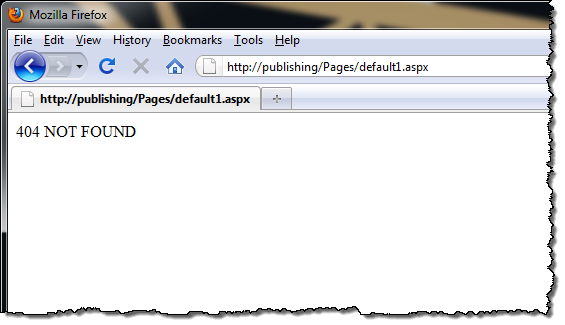
Far from perfect isn’t it? It isn’t even good to be honest. Especially if you’re considering to use SharePoint as the platform for your public website it’s definitely one of the things you have to do something about. So what are the options?
What do you really need?
Before we take a look at what SharePoint has to offer let’s have a quick glance at how a proper 404 page should be like.
First and the most important of all it should make clear to the user that the requested page doesn’t exist – no matter if it’s the user’s fault by mistyping the URL of it’s accessed via a dead link. And because it’s not the page that the user needs it should be minimalistic, simple and contain only the necessary elements.
The second important this is, that it should be clear to the user that he is still on the site. This means that the 404 page should have User Experience consistent with the rest of the site.
If you look from the user point of view, the 404 page is rarely the destination. As the name says, it’s an error page meant to communicate that something didn’t go as intended. That is exactly why a good 404 page should be more than only an error message and should help the user to find what he is looking for. If you’re using meaningful URL’s, which you should be using, you can use the missing URL to search for related information on your site and present those results to the user.
Seeing a 404 page is confusing for most users and you shouldn’t make it even more confusing. This is why it is important not to change the URL so that the user can see which URL he requested.
Finally, from the technical point of view, the 404 page should return the 404 HTTP status code. This will allow search engines and all other automated software to properly handle the page and decide whether they really want to process the undesired response or not.
So what are the options for good 404 pages in SharePoint?
PO(S)H
When looking at what SharePoint offers out of the box for custom ‘Page not found’ pages, there are not that many options. To be honest there is only one option which allows you to set a 404 page on the Web Application level. The worst part of it is, that SharePoint requires that page to be Plain Old (Semantic) HTML only. Additionally this page must be deployed to the LAYOUTS folder. Such approach means that not only the custom ‘Page not found’ page has limited capabilities but also that there is no easy way for content managers to update the contents of that page.
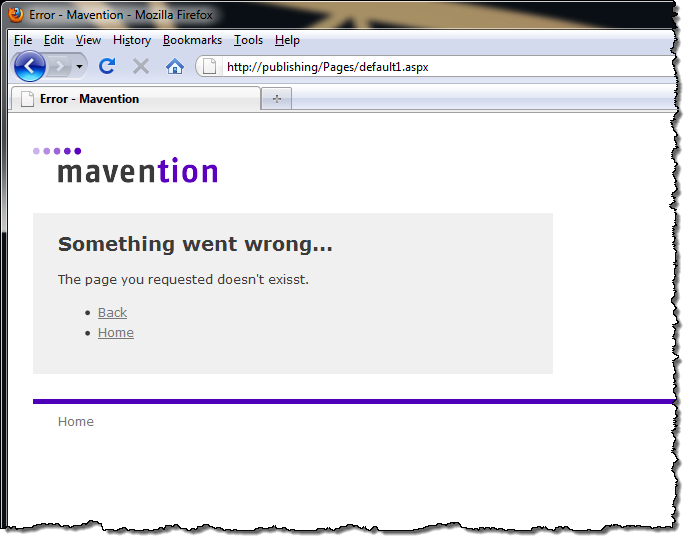
Once you get everything in place there is one more surprise for you. Let’s take a look at how the 404 page looks like when you mistype the file extension:
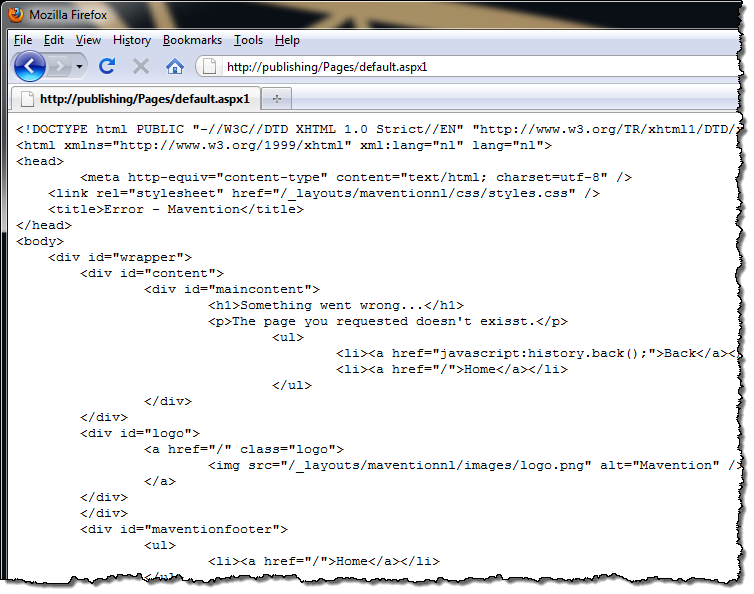
The HTML is being encoded!
So are there any alternatives to make a proper 404 page or is it something that we should learn live with?
Alternative solutions
One of the common workarounds for the standard capabilities is to create a custom ‘Page not found’ page which redirects to a regular SharePoint Publishing Page. Such page can be easily maintained by the content editing team and has a User Experience which is consistent with the rest of the site. The downside of this approach is that the URL in the browser is being switched with the URL of the error page what might be confusing to the user. Additionally automatic redirections are frequently seen as inaccessible what makes it not the most user friendly solution out there.
A slight variation of this approach is a custom HTTP Module which intercepts all 404 responses and redirects to the ‘Page not found’ page instead. While this approach deals with the issue of client-side redirect it still has some downsides. The 404 response code is replaced by a redirect status code which might be processed by search engines. Additionally the original URL is being replaced with the URL of the error page what might confuse the user.
There is however a better way…
A proper SharePoint 2010 404 page
Recently I’ve done some research on custom 404 pages in SharePoint 2010 and found out that all you need to have to create a proper 404 page are a custom HTTP Module, a Publishing Page and a custom Web Part. Here is how it works.
First you create a custom HTTP Module which will intercept all 404 responses:
public class PageNotFoundHttpModule : IHttpModule
{
    private HttpApplication app;
    private string pageNotFoundUrl = "/pages/page-not-found.aspx";

    public void Dispose()
    {
    }

    public void Init(HttpApplication context)
    {
        app = context;
        app.PreSendRequestContent += new EventHandler(app_PreSendRequestContent);
    }

    void app_PreSendRequestContent(object sender, EventArgs e)
    {
        HttpResponse res = app.Response;
        HttpRequest req = app.Request;

        if (res.StatusCode == 404 &&
            !req.Url.AbsolutePath.Equals(pageNotFoundUrl, StringComparison.InvariantCultureIgnoreCase))
        {
            app.Server.TransferRequest(pageNotFoundUrl);
        }
    }
}
This module checks if the response status code is 404 and the URL is different than the URL of the ‘Page not found’ page. If that is the case the request is being transferred to the ‘Page not found’ page. This is better than the standard redirect since it allows you to keep the original URL in the browser.
Important: Since you’re replacing the URL be careful what kind of functionality you provide on the error page. Rewriting URLs is not supported in SharePoint and might result in breaking some functionality so you should always test your solution before deploying this in production.
The next step is to create the ‘Page not found’ Publishing Page – nothing special here.
If you test your solution now you will see that you are almost there:
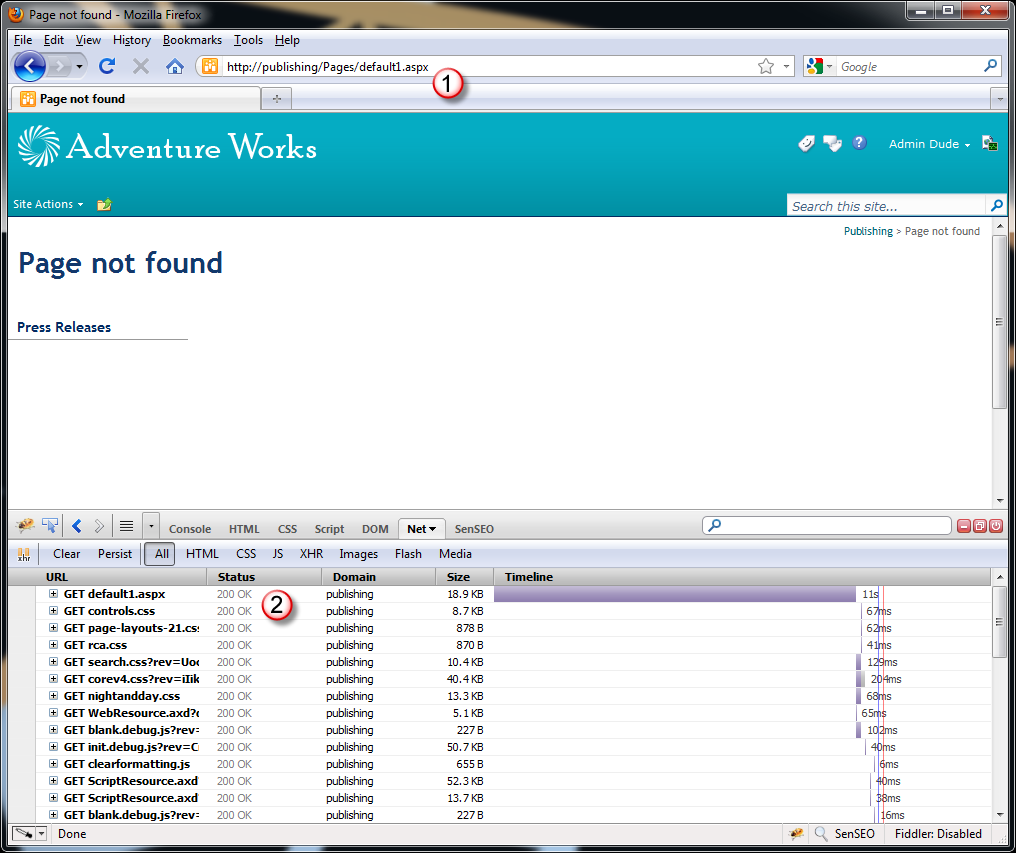
Although your custom ‘Page not found’ page is being displayed with the original URL (1), the response code is set to 200 OK (2) which is different than the 404 code we expected. This is caused by the request transfer that takes place in our HTTP Module. Unfortunately the response code cannot be set directly after calling the transfer since it’s being set later in the Page execution cycle. And this is exactly where our custom Web Part fits in:
public class PageNotFoundWebPart : WebPart
{
    protected override void OnLoad(EventArgs e)
    {
        base.OnLoad(e);
        Page.Response.StatusCode = (int)HttpStatusCode.NotFound;
    }
}
By placing the Web Part as showed above the response code is being changed to 404 as expected:
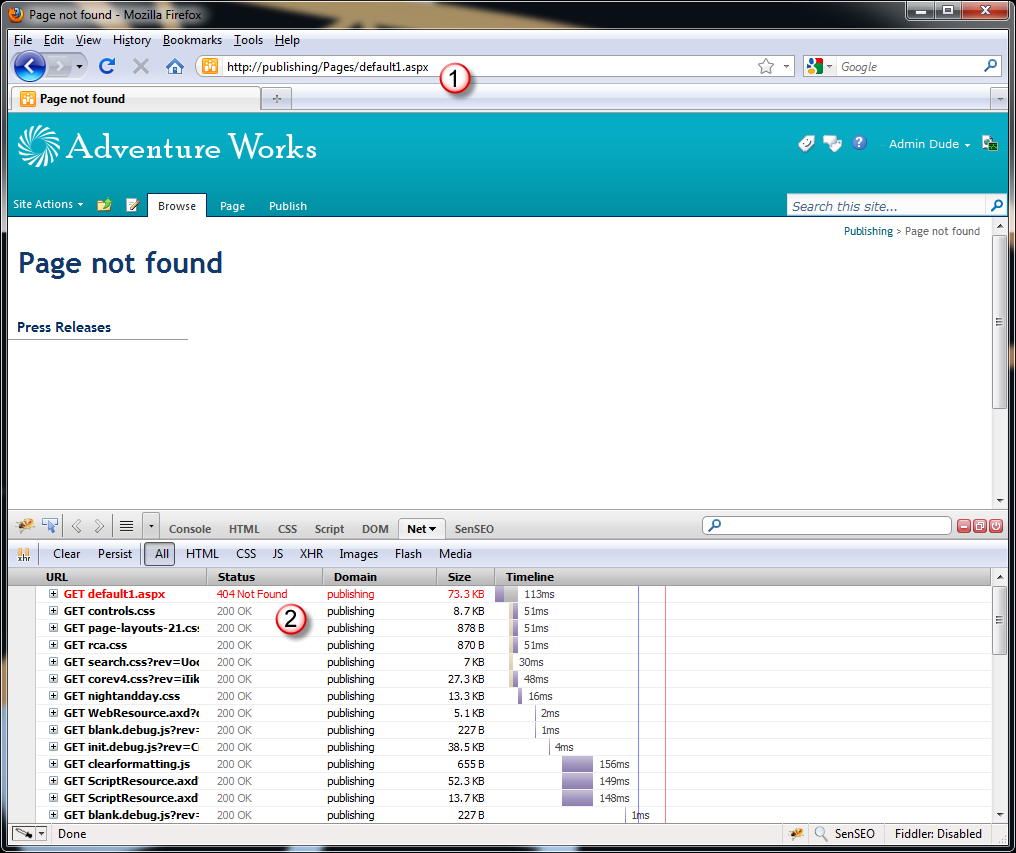
No matter if the non-existing URL is caused by wrong page name or a faulty extension the HTTP Module will intercept the 404 response and will display your custom ‘Page not found’ page with the 404 response code – exactly as you would expect it to work.
Technorati Tags: SharePoint 2010,Web Content Management