Waldek Mastykarz - Innovation Matters | SharePoint Server MVP | ISSN 2210-9390

Dynamically resizing images with Mavention Smart Images

, , , No Comments »

A picture is worth a thousand words. In many situations images help illustrate and explain thoughts. Without images the Web would be boring and colorless. And while we all are convinced about the power of image and how it enhances telling a story, it is surprising how complex it is to get it right on the Web. Many large images on your website make it download and display slowly. No matter how great the content is, the odds are high that your visitor will not take the time to wait for it. Large images is not something specific to SharePoint. Many Content Management Systems suffer from not being able to automatically provide resized images. And while in many cases there are solutions to that, they are either complex, expensive or both. However the great thing with SharePoint 2010 is, that using its extensibility capabilities you can easily change this… Read more »

Mavention Insert Lorem ipsum

, , , 1 Comment »

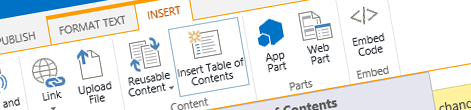
Mavention Insert Lorem ipsum button highlighted on the Ribbon Recently, during my SharePoint 2010 Web Content Management session at DIWUG, I demoed new editing capabilities of SharePoint 2010. During the demo I used a custom feature to quickly insert dummy text. As I got quite a few questions about it, I decided to publish the solution. Proudly presenting: Mavention Insert Lorem Ipsum. Read more »

Preventing newly added project items from being automatically added to Features

, , , , 3 Comments »

The new Visual Studio 2010 SharePoint Development Tools not only simplify working with SharePoint Solutions but are also a great productivity booster. By encapsulating the internal working of packaging SharePoint artifacts developers can focus on the development process instead of keeping the track of what should go where. One of the productivity features of the new developer tools is automatically adding project items to Features: each time you add a new SharePoint Project Item (SPI) to your project the tools will look for a suitable Feature and will add the SPI to it. This process isn’t random and is being executed based on a number of criteria such as the scopes in which the given SPI may be deployed vs. the scope of the given Feature. This process of matching, although very useful in some scenarios, can lead to SPI’s added to wrong Features. This is especially difficult to track when working with complex solutions that consist of multiple Features and many SPI’s. Unfortunately there is no out of the box way to disable to auto adding process. However, thanks to great extensibility capabilities of the new Visual Studio 2010 SharePoint Developer Tools it is possible now. Proudly introducing: Mavention Cancel Adding SharePoint Project Items extension. Read more »

Activating selected Features during the deployment of a package in Visual Studio 2010 SharePoint Developer Tools

, , , , , 5 Comments »

By default the new Visual Studio 2010 SharePoint Developer Tools activate all Features from the package that is being deployed. While this is a great productivity feature when you need to quickly deploy something, it might be not the thing that you want while working with larger projects. The alternative available out of the box is not activating Features at all. Where does that takes us? I wrote about it previously. In my previous post I also suggested you could use Post-deployment Commands to activate the Features that you want. But wouldn’t it be just more convenient and intuitive if you could select Features that you want to activate during the deployment process? Proudly presenting: Mavention Activate Selected Features extension. Read more »

Mavention Export Page

, , , , , No Comments »

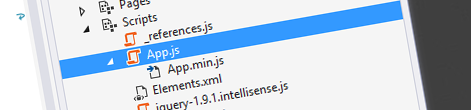
Publishing Pages added to Visual Studio 2010 SharePoint Developer Tools Mavention Export Page is a custom extension for the new Visual Studio 2010 SharePoint Developer Tools that allows you to export preconfigured Publishing Pages to XML which can be then used for provisioning pages with Site Definitions. Read more »

WP Theme & Icons by N.Design Studio
Entries RSS Comments RSS
Copyright © 2007 - 2010 Waldek Mastykarz

Creative Commons License