Getting values of internal properties in SharePoint 2007
.NET, Development, Productivity, SharePoint, Tips & TricksSharePoint has a lot of gold under the hood. Unfortunately for us – developers not all of it is publicly available. Some methods/properties are marked as internal what makes it impossible for us to use is custom functionality we’re developing. But do you really develop your own alternatives or is there a way to get to those gems after all?
GroupedItemPicker – almost unusable?
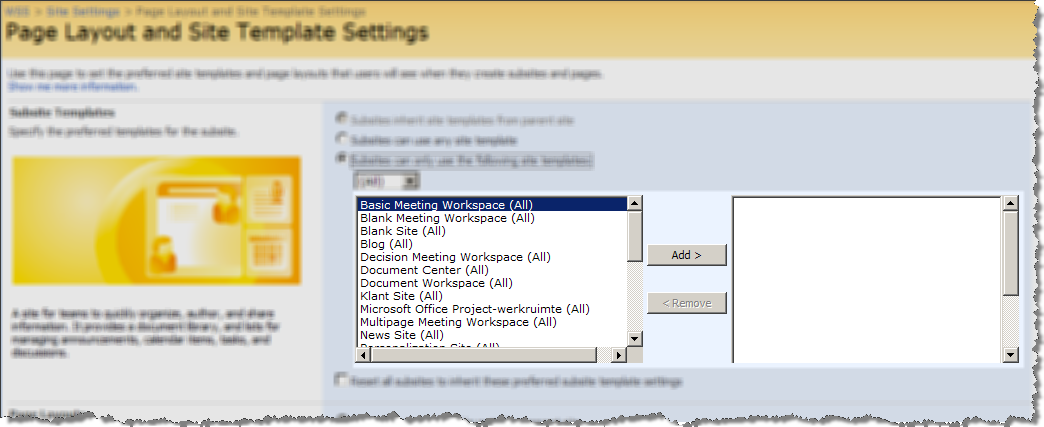
One of the examples of the situation I’ve described above is the GroupedItemPicker- a list control which allows the end users to select multiple items. Comparing to the standard list box the GroupedItemPicker provides a richer experience and makes selecting multiple items way easier.
By default a multiple lookup field stores the selected items as ID1;#Title1;#ID2;Title2 string. Unfortunately, there is a problem when querying the content of a MultiLookup field. At the end of the day, you might to create an alternative field type which would correctly support selecting multiple values and making the value available to a query.
No matter how you would solve the plumbing the odds are high that you would query the value as text which would resemble the standard MultiLookup value (ID1;#Title1;#ID2Title2). There is one problem however…
I assume you would use GroupedItemPicker to provide the same great experience as the standard MultiLookup SharePoint field. The problem is that GroupedItemPicker provides you access to the selected ID’s (GroupedItemPicker.SelectedIds) only. The selected text (GroupedItemPicker.SelectedTokens) is accessible internally only! Does it mean that you must create your own control which would work exactly the same as the GroupedItemPicker? Luckily not!
Reflecting the GroupedItemPicker
It turns out that you can still get to the values of internal properties using reflection. And the best of it all: it’s not even that complicated! Take a look at the following method I’ve made which simplifies getting type safe value of any property:
public static bool TryGetPropertyValue<TValue>(object o, string propertyName, out TValue value)
{
bool succes = false;
value = default(TValue);
foreach (PropertyInfo pi in o.GetType().GetProperties(BindingFlags.Default | BindingFlags.FlattenHierarchy | BindingFlags.Instance | BindingFlags.NonPublic | BindingFlags.Public | BindingFlags.Static))
{
if (pi.Name.Equals(propertyName) && pi.CanRead)
{
object rawValue = pi.GetValue(o, null);
if (rawValue is TValue)
{
value = (TValue)rawValue;
succes = true;
}
}
}
return succes;
}
Now if you want to retrieve the value of a non-public property you can do it like this:
InternalClass ic = new InternalClass();
int value = 0;
if (TryGetPropertyValue<int>(ic, "InternalProperty", out value))
{
// do something
}
As far as I’m concerned it’s a lot less development than creating a fully functional control similar to GroupedItemPicker.
GroupedItemPicker is not the only gem stored in SharePoint. There is a lot more of them. Having the TryGetPropertyValue in your utils can enable to benefit even more of the SharePoint framework.


January 31st, 2009 at 4:15 am
Hi there,
Thank you for your post. I am trying to create a custom field using the GroupPickerControl. However, I am having a little bit of trouble configuring the control. Would you be able to provide a small sample of how to set the GroupPickerControl properties?
Thanks,
Amy
January 31st, 2009 at 10:11 am
Could you provide any more information on the challenges you're facing?
February 1st, 2009 at 8:38 pm
Hi,
Thanks for the quick reply. I am having difficulty setting the properties of the GroupedItemPicker control itself. It seems as though I am not setting all of the required properties (or I am setting them incorrectly) because when I get to the PreRender event in the custom field I get the 'object reference not set to an instance of an object' error. I think I am setting the control up incorrectly in the ascx file that I am using for the RenderingTemplate for my custom field. The problem is that I can't find much documentation on how to use the control. Would you be able to help me by providing an example of how this control could be set up?
February 1st, 2009 at 11:57 pm
Have you tried moving the setup code to the OnLoad event? Could you provide some more info on the error you're getting, ie. which properties are you setting, etc?
February 2nd, 2009 at 3:39 pm
Hi there,
My apologies for not supplying enough info…
No, I have not tried moving the setup code to the OnLoad event. I will try that…
This is how I am trying to use the GroupedItemPicker control in the ascx file:
<SharePoint:RenderingTemplate ID="CascadingGroupPickerFieldControl" runat="server">
<Template>
<SharePoint:GroupedItemPicker ID="GroupedItemPickerControl" runat="server"
CandidateControlId="AvailableItems"
ResultControlId="SelectedItems"
AddButtonId="AddButton"
RemoveButtonId="RemoveButton">
<table class="ms-long" cellpadding="0" cellspacing="0" border="0">
<tr>
<td class="ms-input">
<div style="width:190px;height:126px;overflow:scroll">
<select
id="AvailableItems"
name="AvailableItems"
multiple="multiple">
</select>
</div>
</td>
<td style="padding-left:10px">
<td align="center" valign="middle" class="ms-input">
<button id="AddButton">>></button>
<br />
<button id="RemoveButton"><<</button>
</td>
<td style="padding-left:10px">
<td class="ms-input">
<div style="width:190px;height:126px;overflow:scroll">
<select
id="SelectedItems"
name="SelectedItems"
multiple="multiple">
</select>
</div>
</td>
</tr>
</table>
</SharePoint:GroupedItemPicker>
</Template>
</SharePoint:RenderingTemplate>
The complete error I am getting is:
[NullReferenceException: Object reference not set to an instance of an object.]
Microsoft.SharePoint.WebControls.GroupedItemPicker.OnPreRender(EventArgs e) +1020
System.Web.UI.Control.PreRenderRecursiveInternal() +86
System.Web.UI.Control.PreRenderRecursiveInternal() +170
System.Web.UI.WebControls.WebParts.WebPart.PreRenderRecursiveInternal() +62
System.Web.UI.Control.PreRenderRecursiveInternal() +170
System.Web.UI.Page.ProcessRequestMain(Boolean includeStagesBeforeAsyncPoint, Boolean includeStagesAfterAsyncPoint) +2041
Am I using the control correctly?
Thanks for your help :)
February 11th, 2009 at 7:19 pm
@Amy: I've been using the GroupedItemPicker programmatically so I don't have any markup example I could compare it to. Have you tried looking inside the Application Pages provided in SharePoint to find an example of how they define it in markup?
February 12th, 2009 at 2:14 pm
Yes I have had a quick look, but no luck… I will look again to make sure. Quick question… what properties of the GroupedItemPicker have you been setting programmatically?
February 12th, 2009 at 6:27 pm
@Amy: I use it as a Control for my custom field type. The only property I set is the FieldName to bind the control to the field. In the custom control I've made I override the DefaultTemplateName property and return "MultipleLookupField" as value.
February 13th, 2009 at 12:19 am
Hi Waldek,
I am also trying to use the GroupedItemPicker as a control in a custom field type… I return SPFieldMultiChoiceValue as the field value. When I override the DefaultTemplateName I return the RenderingTemplate ID in the ascx file that I created… That\'s where I\'m running into problems… Is it possible to send me an example of how you use it programmatically in your custom field type?
February 24th, 2009 at 2:19 am
I too am trying to use this like Amy. I'm defining it within a control that I'm embedding into a web part. Also, like Amy, I'm getting the same error. A sample of how you use this within code would be wonderful!
Thanks,
—John
February 28th, 2009 at 7:04 pm
@John – I\\\'m not sure if this helps, but you can find an example of how the GroupedItemPicker control is used in the LAYOUTS directory in the AddContentTypeToList.aspx page. The markup in the page might give you a clue as to what properties you need to set programmatically.
Amy
June 3rd, 2009 at 2:20 pm
@Amy & John. Your getting the "object reference not set to an instance of an object" because you need to create at least 4 additional controls besides the groupedItemPicker. These need to be two container controls where the picker should store its candidate items and selected items and 2 buttons (add and remove) that will move the items between these 2 containers. So basically besides the picker you'll have to create 2 SPHtmlSelect controls and 2 HtmlInputButton controls. Then set the CandidataControlId, ResultControlId, AddButtonId, RemoveButtonId properties of the picker to point to these.
PS: Like Amy said you can also check the .ascx file to see how the picker control is configured. (you'll notice the above there also).
October 27th, 2009 at 4:54 pm
Hi,
I am using the "GroupedItemPicker" in one of my custom field controls and what I need is the items in the control be sorted by the Created Date. I was able to get the source which is sorted and have added the items. Once the field is rendered the items loose the sort order and are ordered by alphabet is it the default behaviour of the control or am i missing some this here
Thanks
October 28th, 2009 at 8:44 am
@vejay: If you're sure that your data source is sorted then it must be the GroupedItemPicker that resets sorting. I'm not sure if there is a way to avoid it.
December 9th, 2009 at 12:19 am
I\'am using a GroupedItemPicker in a Web Part, so i\'am creating the childs control programmatically. I need to know how set the properties of GroupedItemPicker. Here is my code:
public class StudentsPicker : System.Web.UI.WebControls.WebParts.WebPart
{
GroupedItemPicker picker;
SPHtmlSelect students, addedStudents;
Button btt_add, btt_remove;
DropDownList select_groups;
public WebooStudentsPicker()
{
}
protected override void CreateChildControls()
{
//
students = new SPHtmlSelect();
students.ID = \"students\";
students.Multiple = true;
Controls.Add(students);
addedStudents = new SPHtmlSelect();
addedStudents.ID = \"addedStudents\";
addedStudents.Multiple = true;
Controls.Add(students);
select_groups = new DropDownList();
select_groups.ID = \"selectGroups\";
Controls.Add(select_groups);
btt_add = new Button();
btt_add.ID = \"bttAdd\";
Controls.Add(btt_add);
btt_remove = new Button();
btt_remove.ID = \"bttRemove\";
Controls.Add(btt_remove);
picker = new GroupedItemPicker();
picker.AddButtonId = btt_add.ID;
picker.RemoveButtonId = btt_remove.ID;
picker.ResultControlId = addedStudents.ID;
picker.GroupControlId = select_groups.ID;
picker.CandidateControlId = select_groups.ID;
picker.Clear();
picker.AddItem(\"ID\", \"Adams Item\", \" Adams Description\", \" Adams Group\");
Controls.Add(picker);
base.CreateChildControls();
}
}
Could you tell me what is wrong ?
December 15th, 2009 at 5:34 am
I have a solution. To see GroupedItemPicker used inside a web part follow this link:
http://www.weboomania.com/index.php/2009/12/14/usando-el-groupeditempicker-de-sharepoint/
Here I configured the control GroupedItemPicker
regardless
raimil