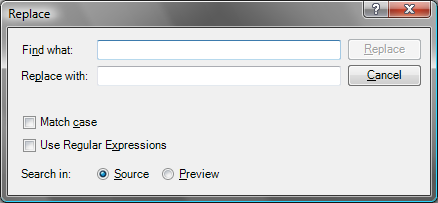
I use Windows Live Writer to post on my blog. Sometimes I just miss the Replace functionality which in my opinion is a must-have of each content editor – even the Notepad proves it. If I'm not wrong the Live Writer development team has promised to include the Replace in the next version. As a developer you have two options: waiting or just doing it yourself. I have chosen for the second one….
The Find & Replace Plugin I have made support plain search as well as Regular Expressions. Furthermore you can do a replace on the Preview (F11 View) or the Source (SHIFT+F11 View).
You can download the Plugin from our CodePlex site. I have posted it to the Live Writer Plugins gallery as well, but I don't know how long will it take to have it published. In the meanwhile be the first one to have it: Imtech Find & Replace in Windows Live Writer.
I have wrapped the Plugin in an MSI installer. Just run the setup and the Plugin with be automatically put in the Plugins directory of Live Writer.


May 25th, 2008 at 9:53 am
Hi! I like your plugin very much, it's so useful. I am trying to write a plugin about html replacement. Is there any chance that you could show me your source code or give me some hints?thx a lot.
best wishes
May 25th, 2008 at 12:09 pm
Thank you for your feedback. I appreciate it. I think the best way to learn is to have a look at the code of an existing plugin. While creating my plugins I have followed the guide at MSDN plus I have used Reflector to see how other plugins work. Should you have any specific questions, let me know, and I will try to answer them.
January 9th, 2009 at 12:52 am
It doesn't work. What is wrong? I install it and can't see it in WLW/ i have the latest version of WLW
January 9th, 2009 at 8:21 am
@bestann: Have you enabled the plugin in Tools > Options > Plug-ins?
January 11th, 2009 at 2:40 pm
I could't see this plugin in the list of plugins. But after 5 or 6 attempts to install this plugin it began to work.
Now it works, but I have the same problems with another plugin.
I don't understand if they must be in this folder
C:\Program Files\Windows Live\Writer\Plugins
or maybe in another folders.
For example plugin Dynamic Template works, but it doesn't place any files into thi folder.
January 11th, 2009 at 3:42 pm
@bestann: The plugins should be installed in the directory you've mentioned. Are you sure that Live Writer isn't running during the installation? I'm pretty sure it doesn't recognize new plugins on-the-fly but only during the startup instead.
January 11th, 2009 at 5:28 pm
http://gallery.live.com/liveItemDetail.aspx?li=3b0b8e26-5adb-4262-b73f-e7fcb02a686f&bt=9
Here you can read about problems with installation.
http://www.mylot.com/nr/viewframe.aspx?id=1437188&url=http%3a%2f%2fwww.lexislounge.net%2f2008%2f08%2fwlw-cross-post-plug-in-fixed.html&type=Blog
And here again.
I need crosspost plugin, but cannot install it. It doesn\\\'t matter whether WLW is running during installation or not.